


How to Build a Remote Patient Monitoring App: Features, Compliance, and Architecture

Key Takeaways
- Compliance decisions determine architecture: The market you’re building for, whether FDA SaMD applies, and which cloud provider you use all have to be locked in before sprint one.
- US builds run two parallel compliance tracks: HIPAA governs data privacy and security. FDA SaMD classification governs whether your software is a medical device. They have different requirements, different timelines, and different consequences if you get them wrong.
- UK and Canada have their own frameworks, and CE marking doesn’t apply. Post-Brexit, Great Britain requires UKCA marking and MHRA registration. Canada requires a Health Canada Medical Device Licence plus compliance with the relevant provincial privacy law (PHIPA in Ontario, HIA in Alberta).
- FHIR R4 is the critical path for clinical deployment: Most health systems require HL7 FHIR R4 for EHR integration. Retrofitting it onto a non-FHIR data model is one of the most expensive mistakes in healthcare app development.
- AI features can’t be added later: Personalised alert thresholds, deterioration prediction, and anomaly detection all require a clean, structured data model from day one. Teams that skip this pay for it when the ML roadmap becomes a data infrastructure project.
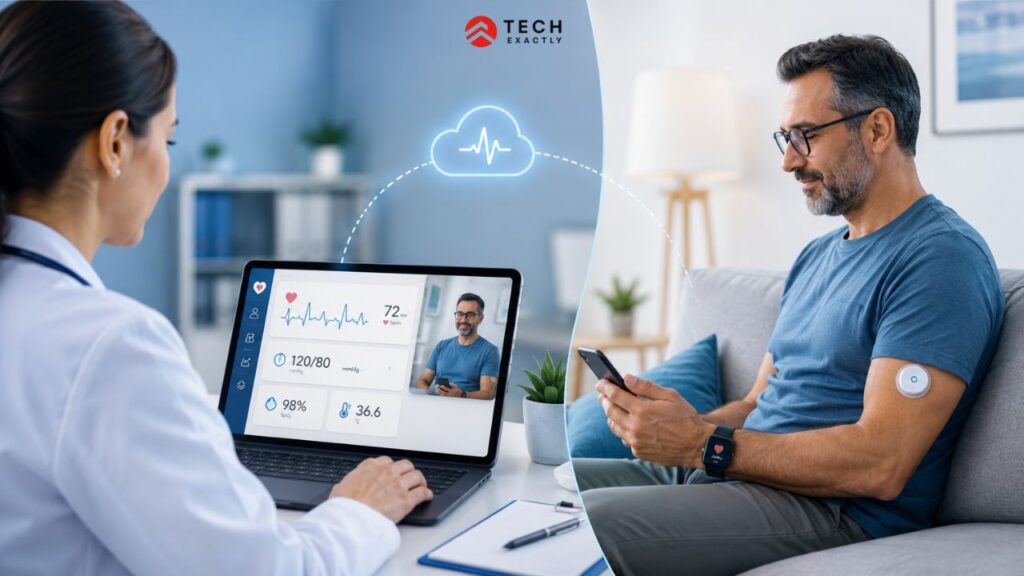
Remote patient monitoring apps have moved from being a nice-to-have to clinical infrastructure. Chronic disease management, post-discharge follow-up, and elderly care now depend on continuous data flows that a quarterly clinic visit cannot provide.
Building a remote patient monitoring app is not like building a general health app. The architecture has to handle real-time device data at scale. Compliance requirements differ by market and are not optional. For example, the features a cardiologist needs to manage 200 patients look nothing like what a diabetes patient needs to self-manage.
This guide covers all of it, from features, architecture, compliance for the US, UK, and Canada, to tech stack, and what the build looks like.
RPM vs Telehealth: What Is the Difference?
RPM and telehealth are used interchangeably. They should not be, as there is a big difference between the two.
Telehealth is the broader category. This includes any use of digital technology to deliver healthcare at a distance, such as video consultations, asynchronous messaging, mental health platforms, and remote prescriptions. Interaction is typically scheduled and initiated by the provider.
On the other hand, remote patient monitoring is a specific subset of telehealth. This includes continuous, passive data collection from the patient’s environment, such as wearables, IoT sensors, and connected medical devices, without actually requiring the patient to actively initiate each data exchange.
| RPM | Telehealth | |
|---|---|---|
| Data collection | Continuous, device-driven | Episodic, patient/provider-initiated |
| Patient action required | Minimal (wear device, open app) | Active participation per session |
| Primary use case | Chronic disease management, post-discharge monitoring | Consultations, therapy, prescriptions |
| Core compliance trigger | HIPAA and potentially FDA SaMD | HIPAA for clinical data |
The difference lies in the architecture. A telehealth app is built around scheduling and video infrastructure. An RPM app is built around a data pipeline, with device, gateway, cloud, and clinical dashboard with alerting logic at its core. The two overlap in places, but start from different technical foundations.
Core Features of a Remote Patient Monitoring App
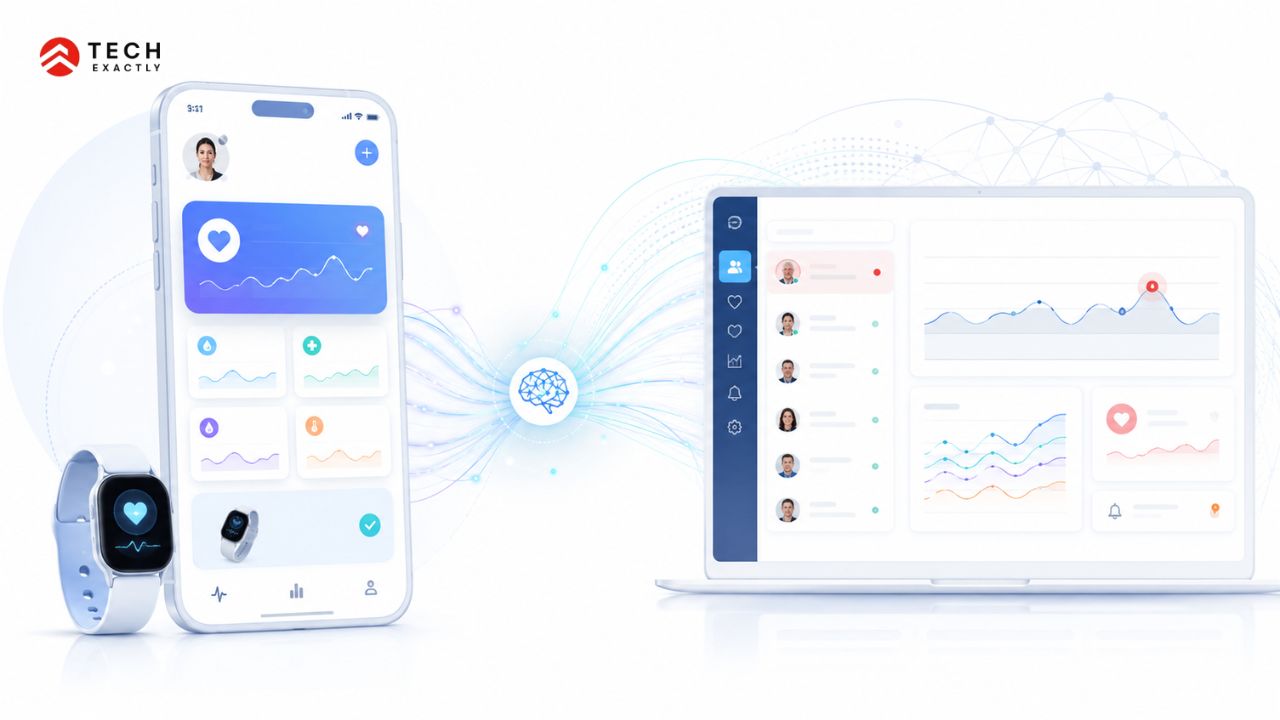
RPM apps have two distinct user surfaces, the patient side and the provider side. Both need to work independently and in sync.
Patient app
- Device pairing and vital sign capture (heart rate, blood pressure, glucose, SpO2, weight, temperature)
- Personal health dashboard with trend visualisation
Threshold-based alerts and not raw data dumps, but interpreted signals (“your resting heart rate has been elevated for 72 hours”) - Medication reminders and adherence tracking
- Secure in-app messaging with the care team
- Integrations with Apple HealthKit, Google Fit, and Bluetooth medical peripherals
Provider portal
- Patient watchlist with risk stratification
- Real-time alert queue with severity ranking
- Per-patient trend charts across all monitored metrics
- Clinical note entry linked to data events
- Audit log is required for HIPAA compliance and useful for clinical review
Admin layer
- Role-based user management
- Billing module hooks for Medicare CPT codes (99453, 99454, 99457, 99458)
- Device inventory and patient assignment tracking
- Data export for EHR documentation
AI-Powered Features in Remote Patient Monitoring Apps
AI is shifting RPM from reactive alerting to predictive intervention, and that is where the clinical value compounds.
The most impactful AI features currently in production are:
Personalised alert thresholds: Using the same fixed limits for every patient creates a lot of false alarms at scale. Models that learn each person’s normal patterns and flag real deviations from them reduce alert fatigue without missing real events.
Deterioration prediction: Models trained on vital sign trajectories can identify patients likely to deteriorate 24–72 hours before a clinical event. That lead time is where intervention is still cost-effective.
Triage scoring: AI-ranked alert queues mean providers see the highest risk patients first, instead of working chronologically.
Anomaly detection: It helps spot device errors and outliers early, before they reach the clinical record. It may sound basic, but it makes a real difference downstream for data quality.
One critical design note to be considered is that if AI is on the roadmap, the data model needs to support it from day one. Retrofitting ML onto a poorly structured data layer is expensive and far more common than it should be.
Let's Start Your Project Today
Ready to build your Remote Patient Monitoring App Architecture with us? Reach out now – our experts are just one click away.
Remote Patient Monitoring App Architecture
The core technical challenge in RPM is moving continuous device data from a patient’s home to a provider’s screen that too reliably, securely, and fast enough to be clinically actionable.
Standard data flow:
Device/wearable → IoT gateway → cloud processing layer → clinical dashboard
Key architectural decisions:
Real-time vs. batch processing: Cardiac monitoring and acute post-discharge cases need real-time streaming with sub-second latency. Whereas diabetes and hypertension management can tolerate batch uploads every few minutes. Real-time processing costs 3–5× more to run at scale. The clinical use case should drive the choice, not the other way around.
EHR integration: Most clinical deployments require HL7 FHIR R4 interfaces to push data into Epic, Cerner, or athenahealth. Plan for this in the data model from day one. Retrofitting FHIR compliance onto a non-FHIR architecture is one of the most expensive mistakes in healthcare application development, and it rarely gets caught until the health system integration phase.
HIPAA-eligible cloud: AWS (with a signed BAA, using HIPAA-eligible services), Azure Healthcare APIs, and Google Cloud Healthcare API are the three feasible options. All three support FHIR-native data layers. The choice usually comes down to what the target health system already has infrastructure and signed agreements with.
Offline caching: Patients do not always have reliable connectivity. A caching layer that queues data locally and syncs on reconnection is essential. This should be considered particularly for elderly patients or rural deployments.
HIPAA and FDA Compliance for Remote Patient Monitoring Apps in the US
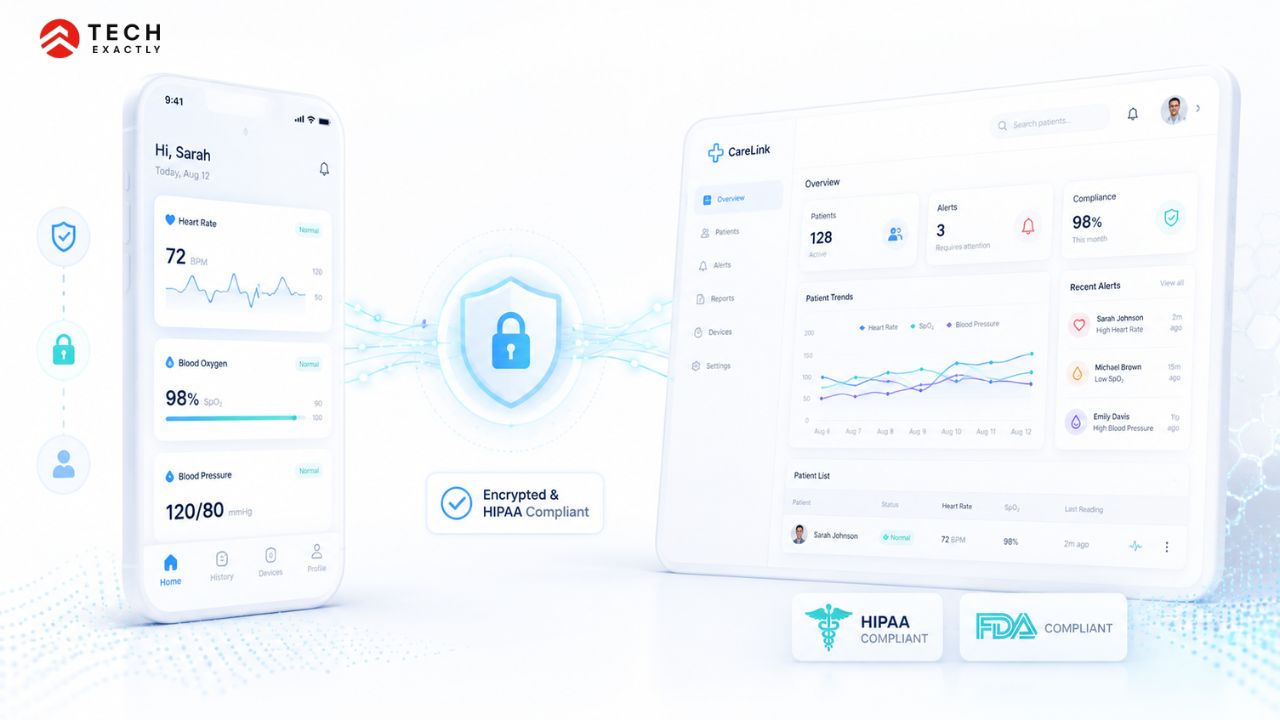
US compliance for RPM apps runs on two parallel tracks. HIPAA governs data privacy and security. On the other hand, the FDA governs whether the software itself qualifies as a medical device.
HIPAA
Any RPM app handling protected health information must implement:
- End-to-end encryption: AES-256 at rest, TLS 1.2+ in transit
- Role-based access control with comprehensive audit logging
- Business Associate Agreements with every vendor that touches PHI like cloud provider, analytics platform, messaging service, crash reporting tool
- Breach notification where covered entities have 60 days from discovery to notify affected individuals
- Annual risk assessments documenting threats, vulnerabilities, and mitigation measures
One practical issue that catches teams off guard is that HIPAA doesn’t allow PHI in push notifications. A notification that reads “Your blood pressure is 158/94” is non-compliant. The notification should prompt the user to open the app, where the data sits behind authentication.
For the full technical implementation from encryption standards, BAA scope to access control architecture, our guide on HIPAA-compliant app development covers the administrative, physical, and technical safeguards in detail.
FDA SaMD Classification
Not all RPM apps require FDA clearance; however, misjudging this is one of the costliest mistakes a team can make
The FDA classifies software that analyses patient-generated data to support clinical decisions as Software as a Medical Device (SaMD). An RPM app that monitors vitals and alerts providers to potential deterioration almost certainly meets this definition.
Most RPM apps that require clearance fall into Class II, which means a 510(k) pre-market notification rather than the full PMA process. 510(k) requires demonstrating substantial equivalence to a legally marketed predicate device.
What typically triggers SaMD classification:
- Diagnostic claims (“this ECG reading indicates atrial fibrillation”)
- Automated clinical recommendations
- Integration with treatment delivery systems
Pure data display of showing patients their own readings without diagnostic interpretation typically falls outside the FDA’s active enforcement priorities.
The practical rule is to determine FDA classification even before writing code. It determines quality management system requirements, documentation burden, and whether regulatory counsel is needed from the discovery phase. The 510(k) process runs parallel to development. It adds 6–12 months to the regulatory timeline, not the development timeline.
Let's Start Your Project Today
Ready to build your Remote Patient Monitoring App Architecture with us? Reach out now – our experts are just one click away.
NHS and MHRA Requirements for Remote Patient Monitoring Apps in the UK
Post-Brexit, the UK operates its own medical device regulatory framework, which is separate from EU MDR and includes NHS procurement, adding a second compliance layer on top.
MHRA Registration
RPM apps that qualify as Software as a Medical Device under the UK Medical Devices Regulations 2002 (as amended) must be registered with the MHRA. The risk-based classification broadly mirrors the FDA:
- Class I (low risk): general wellness, administrative functions
- Class IIa/IIb (moderate risk): most RPM apps with monitoring or diagnostic functions
- Class III (high risk): devices involved in decisions for life-threatening conditions
Class IIa and above require conformity assessment by a UK Approved Body. Since Brexit, CE marking is no longer sufficient for the British market. Thus, products need the UKCA mark. Northern Ireland operates differently under the Windsor Framework and can still accept CE-marked devices.
NHS Procurement: DTAC
For any app seeking adoption within NHS-funded services, the Digital Technology Assessment Criteria (DTAC) is the entry gate. DTAC assesses clinical safety, data protection, technical security, interoperability, and usability. It is not optional for NHS procurement. No DTAC, no NHS contract, as simple as that
UK GDPR
Health data is a special category of data under UK GDPR. The lawful basis for processing is typically explicit consent or substantial public interest. Data minimisation is strictly enforced. Collect only what is clinically necessary and retain it only as long as required.
Health Canada Requirements for Remote Patient Monitoring Apps
Canada’s regulatory framework lies between the US and the UK in complexity. Federal regulation covers medical device classification; privacy compliance is split across federal and provincial laws.
Health Canada Device Classification
RPM apps meeting Health Canada’s definition of a medical device are classified on a four-tier risk scale:
- Class I: Lowest risk, where no pre-market submission is required
- Class II: Where most RPM monitoring apps land. This requires a Medical Device Licence (MDL)
- Class III/IV: Higher-risk diagnostic or therapeutic applications
For a Class II device, the manufacturer submits an MDL application to Health Canada, including safety and effectiveness evidence, ISO 13485 quality management system documentation, and labelling compliance.
Privacy: Federal and Provincial
PIPEDA (federal) applies to health data held by private-sector organisations. Several provinces have their own health privacy legislation that takes precedence in their jurisdiction:
- PHIPA (Ontario) — Personal Health Information Protection Act
- HIA (Alberta) — Health Information Act
- PIPA (BC), with sector-specific health guidance
An RPM app targeting Canadian health systems almost always needs to satisfy both the federal standard and the relevant provincial law. Ontario is the most common deployment target where you build to PHIPA compliance first. This is the most practical starting point.
Let's Start Your Project Today
Ready to build your Remote Patient Monitoring App Architecture with us? Reach out now – our experts are just one click away.
Tech Stack for Remote Patient Monitoring App Development
| Layer | Options | Notes |
|---|---|---|
| Patient mobile app | React Native, Flutter | Cross-platform saves time; native only if device SDK requires it |
| Provider dashboard | React, Angular | Web-first; React is more common in digital health |
| Backend | Node.js, Python (FastAPI) | Python is preferred if ML is on the roadmap |
| Data layer | HAPI FHIR, Azure FHIR Service | FHIR R4 is required for most EHR integrations |
| IoT / device layer | AWS IoT Core, Azure IoT Hub | Typically follows cloud provider choice |
| Cloud | AWS (HIPAA BAA), Azure Healthcare APIs, Google Cloud Healthcare API | Match to the target health system’s existing infrastructure |
| Alerts / messaging | Twilio (SMS, voice), Firebase (push) | Firebase for in-app; Twilio for out-of-app alerts |
| Device SDKs | Withings, iHealth, Dexcom, Apple HealthKit, Google Fit | Dexcom essential for diabetes monitoring |
The cloud provider choice is rarely a pure technical decision. It is usually determined by which provider the target health system already has a signed BAA with. Design the device integration layer to be cloud-agnostic, where possible, to preserve optionality.
Remote Patient Monitoring App Development Process
Discovery (weeks 1–4): Define the clinical use case, target patient population, and device ecosystem. Map PHI boundaries. Determine FDA classification and market-specific regulatory pathway before any architecture decisions are made. This is where the compliance scope gets locked, not in the sixth month.
Architecture and design (weeks 5–8): Data model, API contracts, FHIR implementation plan, cloud provider selection, alert logic design. Most technical debt in RPM projects originates here. Reducing this phase significantly leads to more costs later.
MVP build (months 3–6): Core vitals loop, threshold alerting, patient app, provider dashboard. Compliance-related things like encryption, access control, and audit logs have to be there from the start. They cannot be retrofitted later.
Compliance review (month 6–7): HIPAA risk assessment, penetration testing, and regulatory counsel sign-off. If pursuing FDA 510(k), the pre-submission meeting with the FDA happens in this window.
QA and UAT (months 7–8): Clinical workflow testing with actual providers happens in this phase. Load testing on alert pipelines. Device data accuracy validation against reference readings.
Deployment and monitoring (month 8 & later): Staged rollout, incident response runbook live on day one, alert threshold tuning based on real-world performance data.
The decision on whether to build this capability in-house or work with an external development partner has real cost and IP implications. Our breakdown of in-house vs outsourcing software development covers the HIPAA exposure, time-to-market, and control trade-offs in detail.
Team and Timeline for Building a Remote Patient Monitoring App
Core team:
- Product manager with healthcare domain experience
- 2–3 backend engineers
- 2 mobile engineers (or 1 with cross-platform experience)
- 1 DevOps / cloud engineer
- 1 QA engineer with a healthcare testing background
Specialist roles (project-dependent):
- HIPAA compliance consultant
- FDA regulatory specialist (essential if pursuing 510(k))
- Clinical workflow advisor for provider-side UX
Timelines:
- MVP with vitals capture, alerting, patient app, basic dashboard: 3–5 months
- Full-featured platform with EHR integration and multi-device support: 8–14 months
- FDA 510(k) clearance: 6–12 months on a parallel regulatory track
For a detailed breakdown of what these timelines cost across different feature sets, device types, and compliance tracks, see our remote patient monitoring software development pricing guide.
Build It Right From the Start
Building a remote patient monitoring app is an architecture problem before it is a feature problem. The compliance decisions, like which market to cater to, which regulatory pathway to choose, and which cloud provider to go with, determine everything downstream. This includes your data model, your vendor selection, your development timeline, and your go-to-market risk.
Teams that get this right lock in their FDA classification, HIPAA boundary, and FHIR strategy before the first sprint. Teams that get it wrong find those decisions expensive to revisit at month seven.
We have delivered HIPAA-compliant remote monitoring infrastructure for healthcare clients across the US and UK. This also includes a HIPAA-compliant telehealth platform built under tight regulatory and timeline constraints. If you are at the planning stage, Tech Exactly’s healthcare app development team works through these decisions with founders and CTOs before a line of code is written.
Let's Start Your Project Today
Ready to build your Remote Patient Monitoring App Architecture with us? Reach out now – our experts are just one click away.
Frequently Asked Questions About Remote Patient Monitoring App Development
It depends on what the app does with the data. An app that displays raw vitals to the patient without clinical interpretation typically falls outside the FDA's active enforcement priorities for SaMD. An app that detects arrhythmias, predicts deterioration, or generates automated clinical recommendations almost certainly requires 510(k) clearance. A regulatory classification review before development begins is the safest step, not after the product is built.
Yes, but only if the compliance architecture supports multiple frameworks from the start. Practically, this means a data layer that handles both HIPAA and UK GDPR requirements, separate data residency configurations per region, and parallel MHRA, Health Canada, and FDA registration tracks. Retrofitting multi-market compliance after launch typically increases compliance costs by 40-60%.
Commonly integrated devices include Withings (blood pressure, weight, sleep), iHealth (glucose, blood pressure, pulse oximeter), Dexcom (CGM for diabetes), and Omron (blood pressure). Apple HealthKit and Google Fit consolidate data from consumer wearables. For clinical-grade home monitoring, cellular-connected devices from vendors like Biobeat or Nonin eliminate Bluetooth connectivity issues in home environments where Wi-Fi is unreliable.
Treating HIPAA as a checklist rather than an architecture requirement. Encryption, audit logging, and access controls are straightforward to implement when designed in from day one. They become expensive when retrofitted after the data model is built. A related mistake is signing a BAA with the cloud provider but failing to get one with every downstream vendor that touches PHI, like analytics platforms, SMS services, and error monitoring tools.
A functional MVP, which has vitals capture, threshold alerting, patient app, and provider dashboard, takes about 3–5 months with a full team. A production-ready platform with EHR integration, multi-device support, and AI-driven alerting takes 8–14 months. FDA 510(k) clearance runs on a parallel regulatory track and adds 6–12 months. The two tracks do not run sequentially; rather, they run simultaneously.

Pallabi Mahanta, Senior Content Writer at Tech Exactly, has over 5 years of experience in crafting marketing content strategies across FinTech, MedTech, and emerging technologies. She bridges complex ideas with clear, impactful storytelling.